

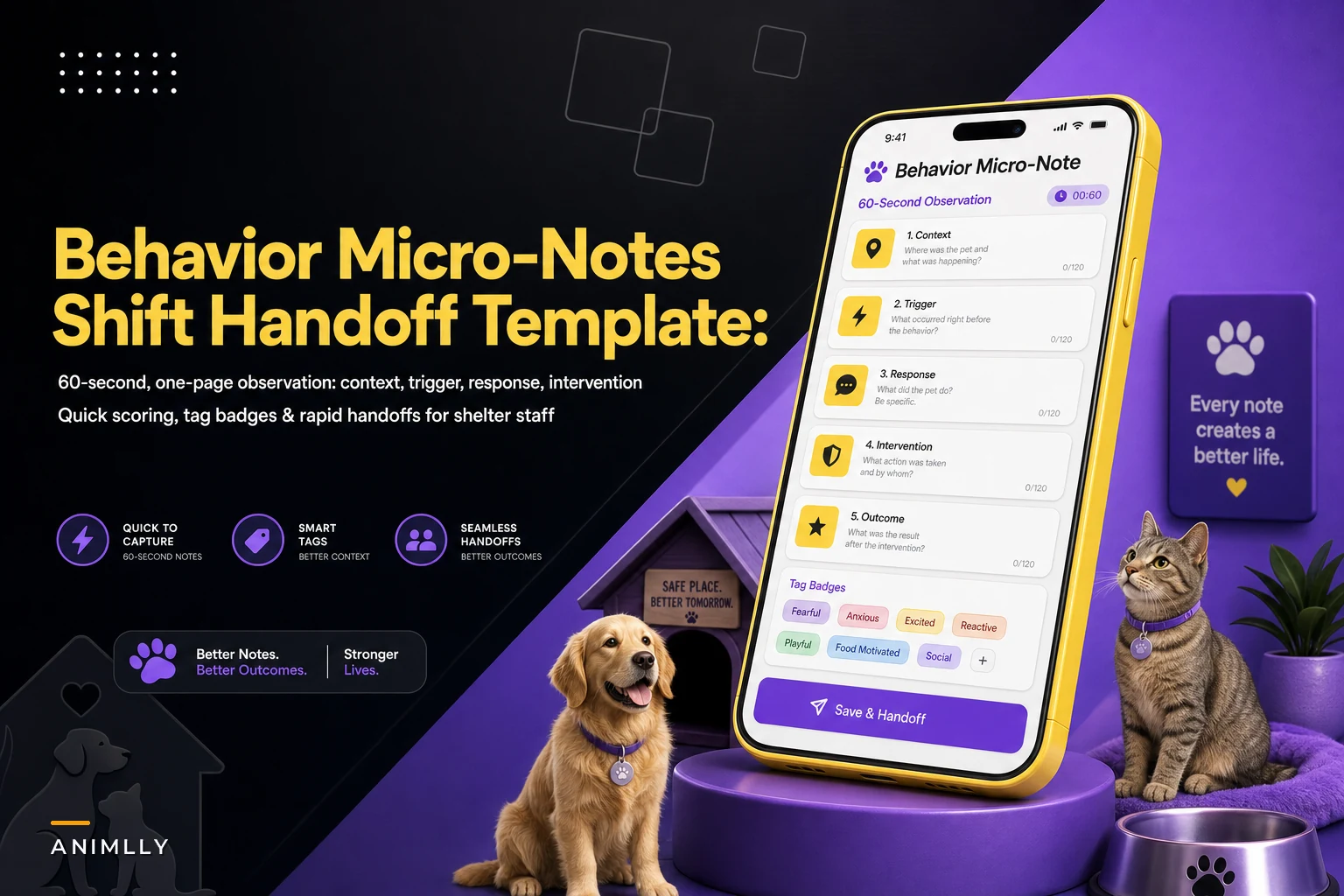

Here's a situation that plays out in most shelters running more than one shift: a dog named Bruno lunges at the fence when men in hats walk by. The 7am kennel tech knows this. She's learned to approach from the left, skip the hat trigger, and let him settle before leashing. Then she goes home at 3pm.
The information that dies between shifts
The evening volunteer arrives at 4:30, has never met Bruno, sees a "friendly, needs exercise" note on the kennel card, and walks him straight past a delivery driver in a ball cap. Bruno reacts. Now the volunteer is shaken, Bruno's file gets a "reactive to strangers" flag that isn't quite accurate, and the actual trigger — hats, specific approach angle — never gets recorded anywhere useful.
This is the gap behavior micro-notes are meant to close. Not the deep behavioral case file you build over weeks, but the fast, structured observation that survives a shift change. The kind of note someone can write in under a minute and someone else can absorb in fifteen seconds before they open a kennel door.
Why kennel cards and full behavior logs both fail at handoffs
Most shelters already have two documentation tools, and both break down at exactly the moment continuity matters most.
Streamline your shelter operations effortlessly.
Animlly helps you manage every pet, volunteer, and adoption step with ease and accuracy.
- Comprehensive pet profiles
- Volunteer scheduling & communication
- Adoption tracking & reporting
No credit card required
The kennel card is too static. It gets written at intake and rarely updated. "Shy, warming up" stays on the card for three weeks even after the dog started body-blocking the door. There's also no room for context — just labels. The full behavior log or case file is too heavy for real-time use. It's thorough, which is exactly why nobody fills it out mid-shift when they've got eleven more kennels to clean. These logs tend to get updated once or twice a week by whoever has time, which means the freshest observations — the ones from an hour ago — never make it in. If you're building out that deeper documentation, the project-style behavior case file approach covers goals, interventions, and review cadence properly. The micro-note isn't a replacement for that. It's the layer underneath — the raw feed.
The failure pattern is consistent: the most operationally important behavior information lives in someone's head, and it walks out the door at shift change. There's no format quick enough to capture it and structured enough to be trusted by the next person.
The one-page micro-note structure
The template that actually gets used has five fields and nothing else. Every field you add drops your completion rate, and a note nobody writes helps no one.
-
Context — what was happening. "Leashing for morning walk," "feeding time," "kid walked past kennel." One line.
-
Trigger — what set it off, if anything. "Man in hat," "hand near food bowl," "another dog barked." If there's no clear trigger, that's useful too — write "none obvious."
-
Response — what the animal actually did. Behavior, not interpretation. "Froze, then lunged at fence" beats "aggressive." The next person needs the observable action, not your label.
-
Intervention tried — what you did and whether it worked. "Backed off, waited 30 sec, re-approached from left — settled." This is the field that saves the next handler from repeating a mistake.
-
Next steps — what the following shift should do or watch for. "Approach from left. Skip hat area. Recheck at PM walk."
That's it. Context, trigger, response, intervention, next steps. Someone can fill this in during the thirty seconds it takes a dog to drink water.
The single most common mistake is writing conclusions instead of observations. "He's dominant" is a conclusion — it tells the next handler nothing actionable and often carries bias that sticks to the animal for its entire stay. "He put his paw on my arm and wouldn't move when I stood up" is an observation. The template should push people toward the second one, every time.
A quick note on workflow before getting into scoring
Before layering in scoring and tags, it's worth mapping out how a micro-note actually moves through a shift — because the structure only matters if the handoff workflow makes sense first.
-
Handler notices something new or changed during a walk, feeding, or kennel clean
-
They fill in the five fields on the spot — or within a few minutes while it's fresh
-
Note gets filed with the animal (paper clip to the kennel sheet, or logged digitally)
-
Incoming handler scans fresh notes before starting rounds
-
Lead reviews accumulated notes periodically and pulls patterns into the deeper behavior file
Simple on paper. Where it breaks down in practice is usually step four — the incoming handler either doesn't know to check, or the notes aren't in a findable place. That's a workflow problem, not a documentation problem, and it's worth solving before adding more structure.
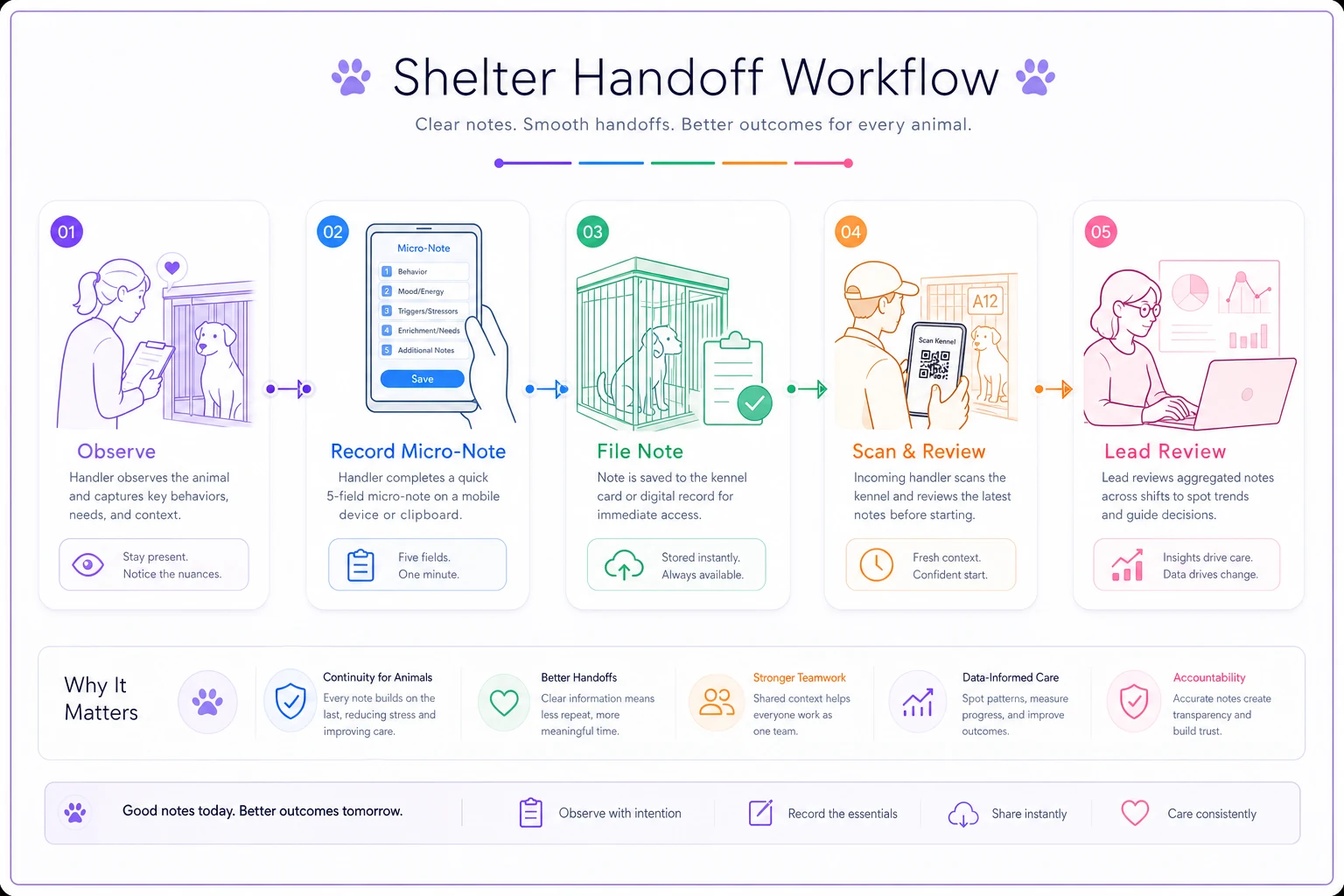
A simple visual of the handoff flow helps teams set expectations and spot where the process breaks.
The scoring and tag system that makes notes scannable
A pile of paragraph notes is almost as useless as no notes, because nobody reads twelve entries before a walk. You need two things layered on top: a quick score and a tag set.
The quick score is a simple 1–5 caution rating for the specific behavior — not a rating of the whole animal, a rating of this observation. A 1 means "informational, no handling change needed." A 5 means "do not handle without reading the full note and checking with a lead." This lets someone triage at a glance. Three 4s and 5s stacked on a kennel is a clear signal to slow down and read.
Tags handle the pattern-spotting the score can't. A short controlled list works far better than free-form tags, because free tags fragment fast — you'll end up with "food guard," "food-guarding," and "resource guard" all meaning the same thing and none of them searchable together.
| Tag | What it flags | Typical caution score |
|---|---|---|
| RG-food | Resource guarding around food | 3–5 |
| RG-space | Guarding a bed, corner, kennel | 2–4 |
| STARTLE | Reacts hard to sudden sound/movement | 2–3 |
| HANDLING | Sensitive to touch, leashing, restraint | 2–4 |
| DOG-REACTIVE | Reacts to other dogs | 2–4 |
| STRANGER | Wary/reactive to unfamiliar people | 2–4 |
| POSITIVE | Notable good behavior worth reinforcing | 1 |
Keep POSITIVE in there deliberately. Shelters over-document problems and under-document progress, which quietly biases the whole file toward "difficult." A dog that had a great, relaxed walk deserves a note too — it tells the next handler the approach is working and shortens the animal's path to adoption.
How the handoff actually flows
The template only pays off if the reading side of the workflow is as fast as the writing side.
The outgoing handler doesn't write a note for every animal — only for anything new or changed since the last note. If Bruno behaved exactly as his existing notes describe, no new entry needed. On a typical shift covering thirty-odd kennels, you might get five to eight new micro-notes, not thirty.
For volunteers, make the "next steps" and the caution score the most visible fields so they can act without parsing the whole note.
The incoming handler does a two-minute scan before they start: they look only at kennels with a fresh note and anything scored 4 or 5. The score does the filtering. They read the "next steps" field first — that's the action line — and only dig into context and trigger if they need the reasoning behind it.
For volunteers specifically, the "next steps" and the caution score are often the only two fields they need. A weekend dog-walker doesn't need to interpret behavior; they need "approach from left, skip hat area, back off if he freezes." Written plainly, that's something a first-time volunteer can execute safely.
The last piece is that leads periodically pull all notes for one animal and look for patterns. Three STARTLE tags in a week from three different handlers isn't three isolated incidents — it's a real pattern that belongs in the deeper behavior file and probably in the handling plan.
A quick before-and-after from a mid-size shelter
A shelter running roughly 40–50 dogs at a time, with paid staff on weekdays and a heavy volunteer schedule on weekends, had a recurring problem: bite and reaction incidents clustered on Saturday and Sunday afternoons. Not because weekend volunteers were careless — because they were walking in blind.
The behavioral info existed. It just lived with the weekday staff who weren't there on weekends. Volunteers were getting the "friendly" version of animals who had specific, known triggers that nobody had written down anywhere usable.
They rolled out the five-field micro-note with the caution score and a fixed tag list. Nothing fancy — a clipboard sheet per kennel run at first, digital later. Within a couple months, weekend handling incidents dropped noticeably, from something like six or seven a month down to one or two. The bigger shift was subtler: volunteers reported feeling less anxious taking dogs out, because they knew what they were walking into. Weekend retention improved, which mattered more to the shelter's actual capacity than the incident count did. Staff also noticed the notes started catching improvement they'd been missing. A dog logged with three RG-food notes in week one had none by week three — visible, dated evidence that the feeding protocol was working, which helped move him toward adoption faster.
Where a shared system beats the clipboard
The paper version works and it's the right place to start — don't wait for software to fix a documentation habit. But it hits limits fast at exactly the point the notes start getting valuable.
A clipboard note lives on one kennel. You can't pull every note for one animal without walking the floor. You can't search "show me every dog tagged RG-food" when you're planning kennel placement. And the moment a note gets wet, torn, or tossed, that history is gone. This is where a shared operational system earns its place — not as a gadget, but because the workflow above genuinely runs better when notes are searchable and tied to each animal's record. When micro-notes feed into the same platform as the animal's profile, caution scores can surface automatically on the handling screen, tag patterns become visible without anyone manually counting, and recurring themes roll straight into the deeper behavior case file instead of getting re-typed. Lightweight automation can flag when an animal accumulates several high-caution notes in a short window, so a lead reviews it before it becomes an incident rather than after.
Whatever tool you use, it should stay as fast as the paper version at the point of writing. If logging a micro-note takes longer than the observation itself, people stop doing it, and you're back to information walking out the door at 3pm.
When this is worth it — and when it isn't
Micro-notes make the most sense when you have multiple shifts or heavy volunteer turnover and animals staying long enough to develop patterns worth tracking. That's most open-admission and rescue shelters.
They're less useful in a tiny single-staff operation where one person knows every animal and hands off to nobody — there, the overhead isn't worth it, and a simple running log is fine.
And they'll fail anywhere leadership treats them as optional paperwork. The whole system depends on handlers trusting that the notes are current and honest. That trust is built by making the writing genuinely fast, keeping the tag list short and stable, and — this is the part people skip — actually acting on what the notes reveal. If handlers write down a trigger three times and nothing ever changes in the handling plan, they'll quietly stop writing.
The real value of a behavior micro-note system isn't the form. It's that the person opening a kennel at 4:30pm knows what the person who left at 3pm knew. Get that one handoff right, and everything downstream — safety, volunteer confidence, adoption speed, the accuracy of your deeper behavior files — gets easier.
Ready to enhance your shelter’s impact?
Join 500+ shelters using Animlly to improve care coordination, increase adoptions, and engage communities effectively.