

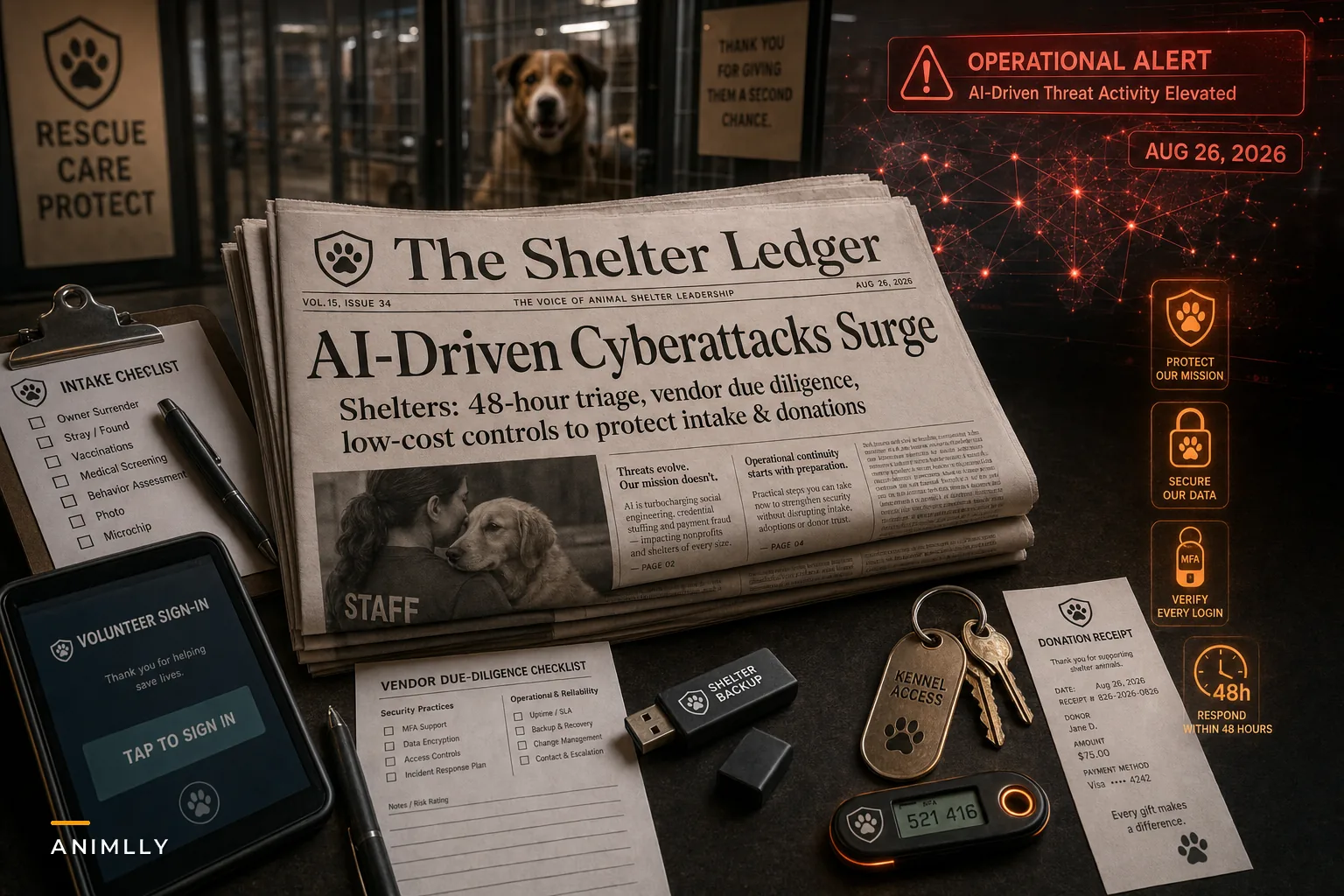

The late-August coverage of AI-accelerated cyberattacks landed at an uncomfortable time for a lot of small nonprofits. Reuters reported that U.S. companies are facing a measurable rise in cyberattacks, and Bloomberg followed with a piece on how AI is making these attacks harder to stop — faster phishing, more convincing fake emails, automated probing of weak systems.
What matters for shelters specifically: attackers using AI don't care that you're a nonprofit running on donations. Automated attacks don't pick targets based on mission. They pick based on which doors are unlocked. And shelters tend to have a lot of unlocked doors — shared logins, an intake laptop that everyone touches, a volunteer coordinator's personal Gmail forwarding donor receipts, a payment processor nobody has reviewed since it was set up three years ago.
This isn't about turning your shelter into a fortress. It's about closing the easy doors first, because the AI-driven wave is mostly hitting the easy doors at scale.
Why shelters are quietly attractive targets
Most shelter managers assume they're too small or too broke to be worth attacking. That was sort of true when attacks required a human deciding you were worth the effort. It's less true now.
-
Adopter and foster personal info (names, addresses, phone numbers, sometimes home details)
-
Volunteer records, often including background-check data
-
Medical and treatment records for animals, sometimes tied to owner info
-
Payment and donation streams, recurring donor card data, and a donor list
A donor list alone is valuable. It tells someone exactly who has money and a soft spot for animals — perfect for a follow-on scam impersonating your shelter. The damage often isn't the initial breach; it's the fake "urgent donation needed" email that goes out to your donors afterward using your own contact list.
The damage often isn't the initial breach; it's the fake "urgent donation needed" email that goes out to your donors afterward using your own contact list.
The underlying problem: shelters run on trust and shared access
The deeper issue isn't that shelters lack antivirus software. It's that shelters run on speed and shared trust. The front desk is chaos. Someone needs to log in fast to check if a dog is chipped. A volunteer needs access to the schedule right now. So passwords get shared, accounts get reused, and one email inbox becomes the hub for everything from vet invoices to Stripe receipts.
Streamline your shelter operations effortlessly.
Animlly helps you manage every pet, volunteer, and adoption step with ease and accuracy.
- Comprehensive pet profiles
- Volunteer scheduling & communication
- Adoption tracking & reporting
No credit card required
That culture — completely understandable given the pace — is exactly what automated attacks exploit. A single reused password that leaked in some unrelated breach two years ago can hand an attacker your whole email account. From there they read everything, watch your donation flow, and wait for the right moment.
The shelters that get hit hardest usually aren't the ones with the worst technology. They're the ones where nobody knows who has access to what. That's an operational problem, not a technical one.
The 7 actions, in the order that actually reduces risk
You don't have budget for a security consultant, so priority order matters. Do these roughly in sequence — the early ones block the most common automated attacks for almost no money.
1. Turn on multi-factor authentication everywhere that touches money or data
If you do only one thing, do this. MFA (that second code from an app or text) stops the overwhelming majority of automated account takeovers, because a leaked password alone is no longer enough.
-
Email accounts (this is the master key — every password reset runs through email)
-
Payment processor / donation platform
-
Your shelter management software
-
Bank and accounting logins
-
Social media accounts (your donor-facing megaphone)
Use an authenticator app over SMS where you can. It takes an afternoon and costs nothing.
2. Kill shared logins and map who has access to what
This is the unglamorous one everyone skips. Sit down and list every system, then every person who can log into it. You'll almost certainly find:
-
A former volunteer whose account still works
-
One "front desk" login shared by nine people
-
An admin account with a password taped under the keyboard
Give people their own accounts. When someone leaves, you disable one login instead of scrambling to remember what they touched. Individual accounts also mean that if something goes wrong, you can actually see who did what.
3. Get your donor and payment data off personal inboxes and spreadsheets
A huge amount of shelter risk lives in one place: a personal or shared inbox where donation receipts, spreadsheets of donor info, and vet invoices all pile up. If that inbox is compromised, an attacker gets the whole picture.
Move donor and payment data into a dedicated system built to hold it, and stop emailing spreadsheets of personal info around. This is also where a proper shelter management or operations platform earns its keep — not because software is magic, but because centralizing data means fewer copies floating around in vulnerable places. Fewer copies, fewer doors.
4. Patch and update the boring stuff
Automated attacks love outdated software with known holes. The intake laptop running an OS that stopped getting updates. The router with default admin credentials. The plugin on your donation website that nobody has touched in two years.
Set a monthly 30-minute window to run updates on everything: computers, phones used for shelter work, your website platform, browsers. Change every default password on routers and cameras. Tedious work that prevents a genuinely large share of real incidents.
5. Review your vendors — quietly but seriously
You depend on outside services: your shelter software, payment processor, email host, maybe an online adoption portal. Their security is your security. When a vendor gets breached, your data goes with them.
You don't need a legal team for this. Just ask a few direct questions:
| Question to ask each vendor | What a good answer looks like |
|---|---|
| Do you support MFA on our accounts? | Yes, and it's easy to enable |
| Where is our data stored and is it encrypted? | Encrypted at rest and in transit |
| Have you had a breach, and how do you notify us? | Clear notification policy, ideally within days |
| Do you have backups if your systems fail? | Yes, with a stated recovery process |
| Can we export our data if we leave? | Yes, in a standard format |
If a vendor gets cagey or can't answer these, that tells you something. This isn't about ditching them tomorrow — it's about knowing where your exposure actually sits.
6. Set up backups you've actually tested
Ransomware works by locking your data and demanding payment. The counter isn't paying — it's having backups so you can rebuild and ignore the demand.
The mistake almost everyone makes: they have backups but have never tested restoring from one. A backup you can't restore is just a comforting file sitting somewhere. Keep multiple copies, keep at least one offline or in a separate cloud account, and actually try restoring a file once a quarter to confirm it works.
7. Train the humans, because that's where AI attacks now aim
Bloomberg's piece made the point that AI has made phishing dramatically more convincing — fewer typos, better tone, references that feel real. Your staff and volunteers are the front line, and a 20-minute conversation goes a long way.
-
Slow down on urgency. "Wire this now" or "update your password immediately" is the oldest trick, and AI just made it sound cleaner.
-
Verify money requests out loud. If an email asks to change bank details or send funds, call the person. Real people won't mind.
-
Don't click login links from emails. Type the address yourself.
-
Report weird stuff without shame. The volunteer who clicked a bad link and told someone is worth ten who stayed quiet.
These seven steps aren't a complete security program, but they address the actual attack surface that most small shelters are leaving exposed.
A realistic scenario
A small municipal-adjacent shelter — around 12 staff and maybe 40 active volunteers — ran everything through one shared Gmail and a single front-desk login. No MFA. Donor receipts, foster contact lists, and vet invoices all lived in that inbox.
An attacker got in through a reused password that had leaked elsewhere. Nothing dramatic happened at first — they just read the inbox for a couple of weeks. Then, right before a fundraising push, an email went out to around 600 donors from what looked like the shelter's real address, asking for "emergency medical fund" donations to a new payment link. A handful of donors gave before anyone noticed. The real damage was the cleanup: a public apology, roughly two weeks of the manager's time, and a noticeable drop in donor trust that lingered through the next campaign.
Afterward they did the boring work — MFA on email and the donation platform, individual logins, donor data moved out of the inbox into their management system, and a short volunteer training. Cost was mostly time. The next time a suspicious "urgent transfer" email came through, a volunteer flagged it in minutes. That's the whole point: the second incident was a non-event because the easy doors were locked.
When to do more (and when you're overthinking it)
When investing further makes sense: if you process a meaningful volume of donations directly, store background-check data, or handle any owner medical or financial info, a one-time paid security review is worth it. A few hundred dollars for someone to check your setup is cheap insurance.
When you're probably overthinking it: if you've done the seven actions above and you're now shopping for enterprise firewall appliances, stop. You've closed the doors that automated attacks actually use. Fancy tools you can't maintain are worse than simple habits you actually follow.
Who should not delay: any shelter still using shared passwords with no MFA on email. That's the single highest-risk configuration, and it's also the cheapest to fix.
Rolling this out without disrupting daily operations
The trap is trying to fix everything in one weekend, breaking someone's workflow, and having staff quietly revert to the old shared login because the new way slowed them down at the front desk. Security changes fail the same way any operational change fails — too much, too fast, with no buy-in.
Roll it out in phases. Start with MFA on email only, let it settle for a week, then move to individual logins, then vendor reviews, and so on. Give people a way to flag when something is slowing them down so you can fix friction instead of having them route around it. This is genuinely a change-management problem, and the same phased-adoption approach with clear rollback criteria we've outlined for small shelters applies directly — decide what "done" looks like for each step, and don't move to the next until the last one actually sticks.
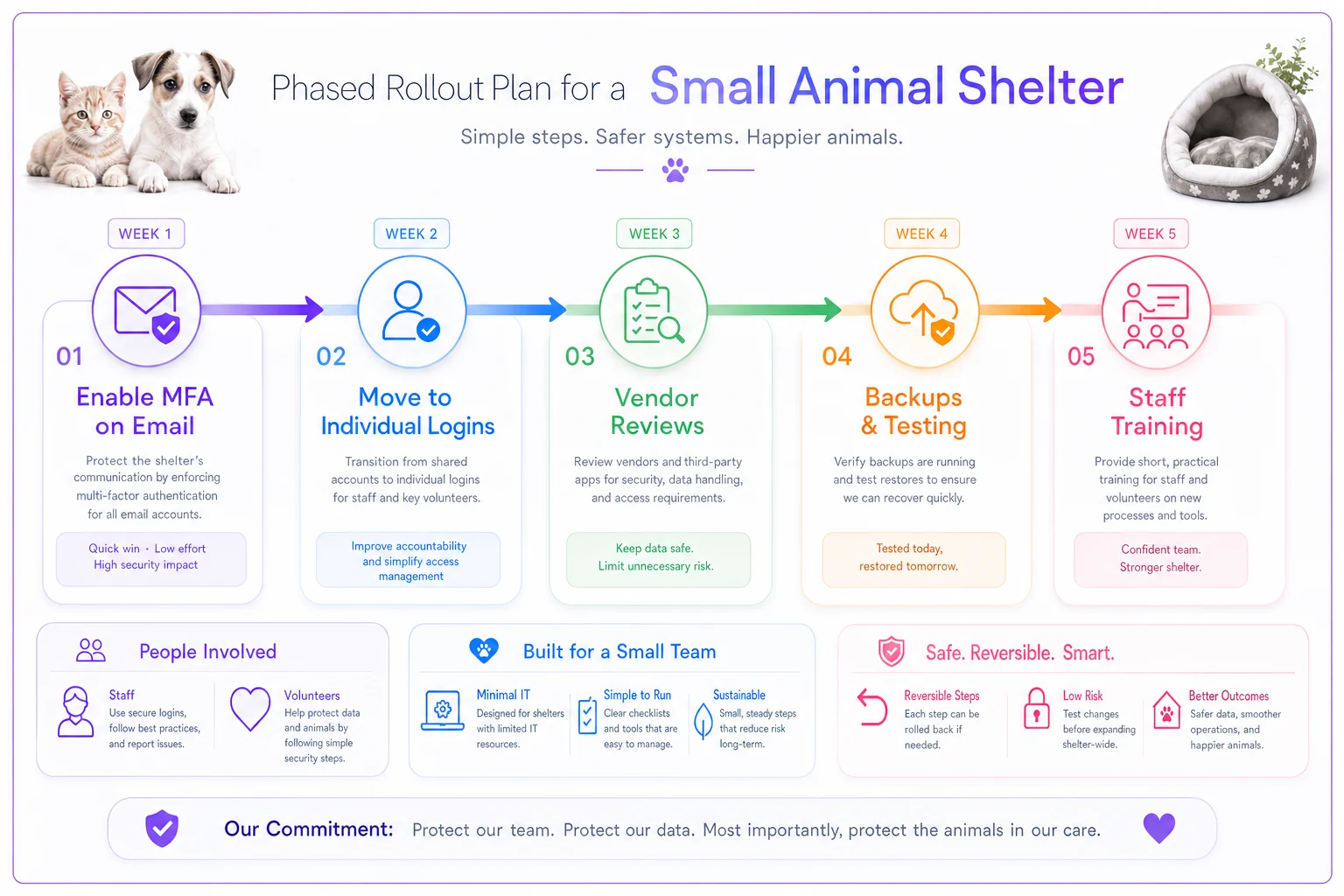
A simple phased rollout keeps changes manageable and reversible.
This is genuinely a change-management problem, and the same phased-adoption approach with clear rollback criteria we've outlined for small shelters applies directly — decide what "done" looks like for each step, and don't move to the next until the last one actually sticks.
The takeaway
The AI-driven attack surge isn't a reason to panic or spend money you don't have. It's a reminder that automated attacks scan for the easy stuff — reused passwords, shared logins, unpatched laptops, data sitting in personal inboxes — and shelters have historically left a lot of that exposed because operations move fast and trust runs deep.
You close most of the real risk with MFA, individual accounts, tested backups, and a short conversation with your team. None of it requires a security department. It requires deciding, once, that the doors are worth locking — and then locking them in the right order.
Ready to enhance your shelter’s impact?
Join 500+ shelters using Animlly to improve care coordination, increase adoptions, and engage communities effectively.